Spelling Games That Make Practice Stick
Spelling practice doesn’t have to feel like a chore. When students play spelling games, they engage with words actively rather than passively reviewing a list. They hear the word, think about each letter, make decisions under pressure, and get immediate feedback on whether they got it right. That combination of active recall, repetition, and engagement is exactly what research on memory and learning recommends.
Spelling Test Buddy’s games are built around the word lists that teachers already assign. Students aren’t practicing random words. They’re reinforcing the exact vocabulary they need to master. Every game session is real practice toward their next spelling test or assessment.
Each game below uses a different format to keep things fresh. Some students respond better to visual challenges, others to time pressure, and others to strategic thinking. Having multiple game types means students can find what works for them and stay motivated week after week.
Who Are Spelling Games For?
Teachers (Grades 3-8)
Assign spelling games as classroom warm-ups, station rotations, or homework. Games are tied directly to your custom word lists, so every minute of play is targeted practice aligned to your curriculum.
Parents and Families
Turn screen time into productive spelling practice at home. Games give kids a reason to practice without being asked, and you can see their progress without standing over their shoulder.
Homeschool and Microschool Educators
Spelling games provide the variety and engagement that can be hard to replicate in a home setting. Rotate through different games each week to keep your learner interested and challenged.
Intervention and ESL Teachers
Students who struggle with spelling or are learning English as a new language benefit from low-pressure, repetitive practice. Games reduce anxiety around spelling while still building the muscle memory needed for mastery.
Adults
Adults use Spelling Test Buddy games to learn specific vocabulary, master professional or technical word lists, and reinforce concepts they want to commit to memory — without the rote boredom of flashcards. Because every game is driven by your own custom word list, you practice exactly the words that matter to you, whether that’s medical terminology, legal vocabulary, a foreign-language word set, or prep for a certification exam. Two particularly effective games for adults are Word Scramble Race, a race to unscramble words against the clock, and Crossword Bee, modeled after crossword puzzles.
Available Games
Spelling Blast
Spelling Blast is a block puzzle game in the style of the popular Block Blast! and Tetris games, combined with spelling practice. Students tap one of three blocks to pick it up, then tap the 8x8 grid to place it. Fill a complete row or column and it blasts away. After every 3 blocks placed, students spell one of their words, and clearing lines on back-to-back moves builds a combo multiplier for a bigger score.
The block puzzle format keeps spelling practice light and frequent. The student is asked to spell a word on their list every few moves. Students get repeated exposure to every word on their list while planning ahead and chasing a higher score each round. It’s a strong fit for students who love fast, satisfying puzzle games. Read more in our introduction to Spelling Blast.

Play Spelling Blast
Garden Spelling
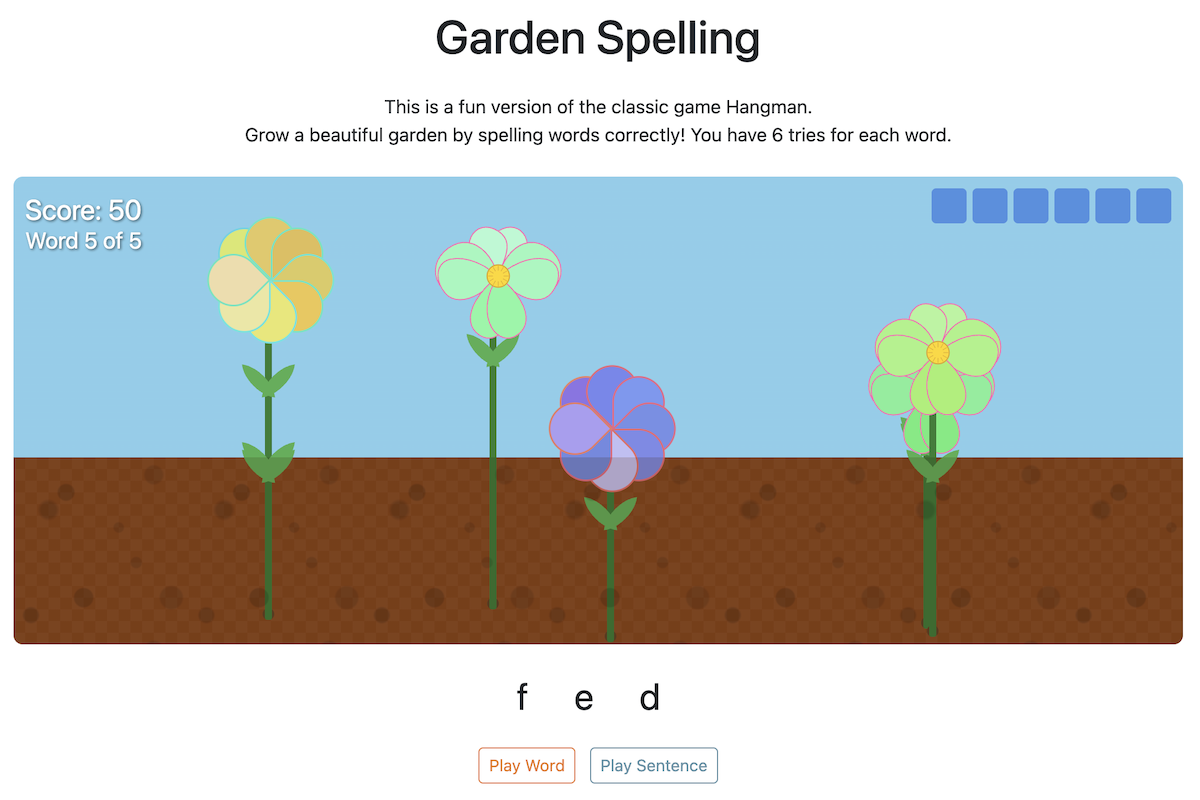
Garden Spelling is a creative twist on the classic Hangman game where correct answers help grow a beautiful garden. Each correct letter fills in the word and adds a new flower or plant to the scene. It’s a calm, visual game that works well for younger students or anyone who prefers a lower-pressure environment.
Best for students who are visual learners or who feel anxious about timed challenges. The garden-building reward keeps them motivated without adding stress.
Play Garden Spelling
Monkey Tug Of War
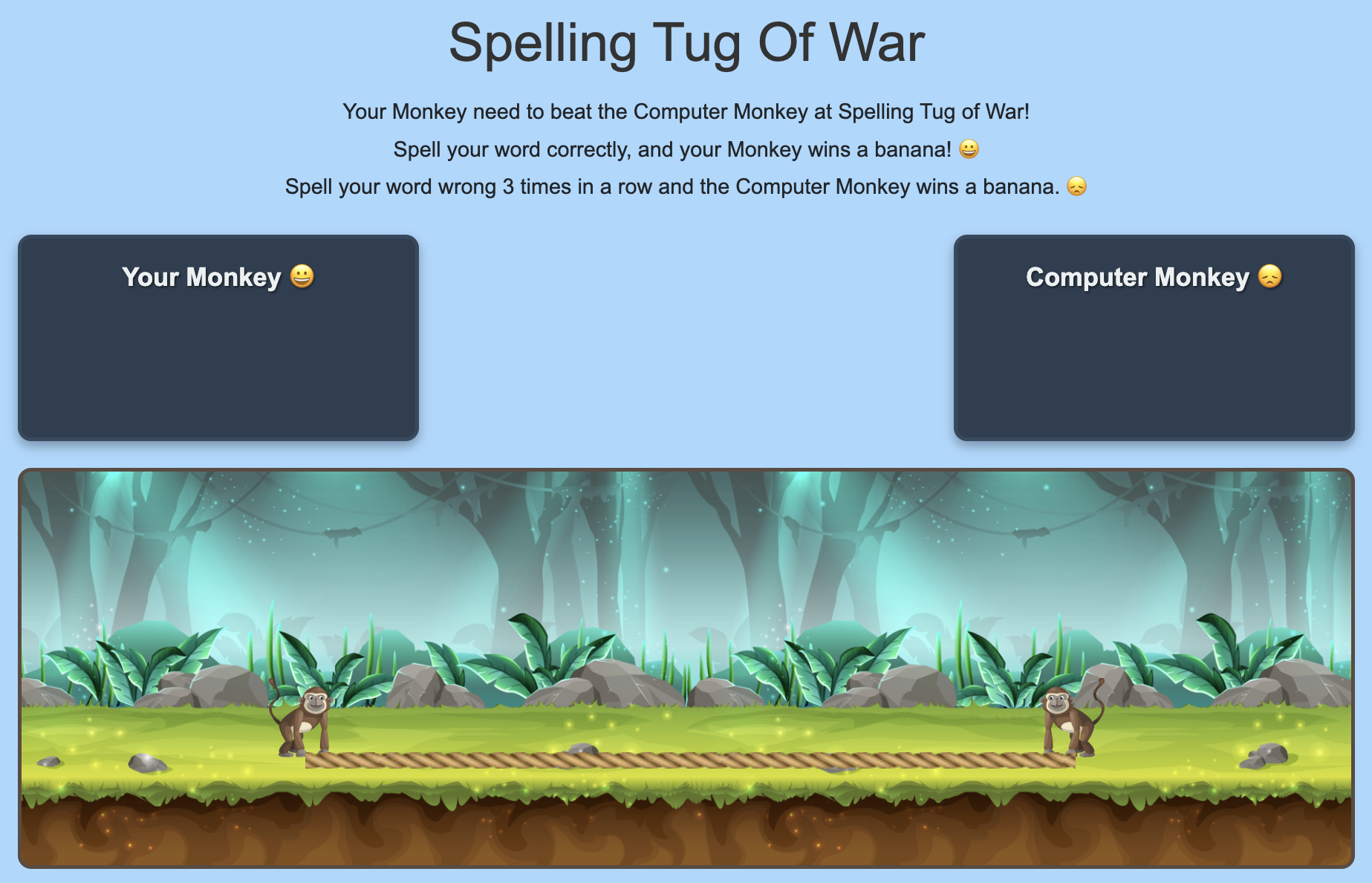
Your monkey battles the computer monkey in an exciting game of Tug Of War using the words from your word list. Spell your word correctly and you earn a banana. Use the wrong letter three times in a row and the computer gets a banana. The goal is to collect as many bananas as you can and pull the rope to your side.
This game adds just enough competition to keep students engaged without overwhelming them. It works well as a quick practice session — most rounds take just a few minutes, making it a good fit for classroom transitions or warm-ups.
Play Tug Of War
Word Breaker
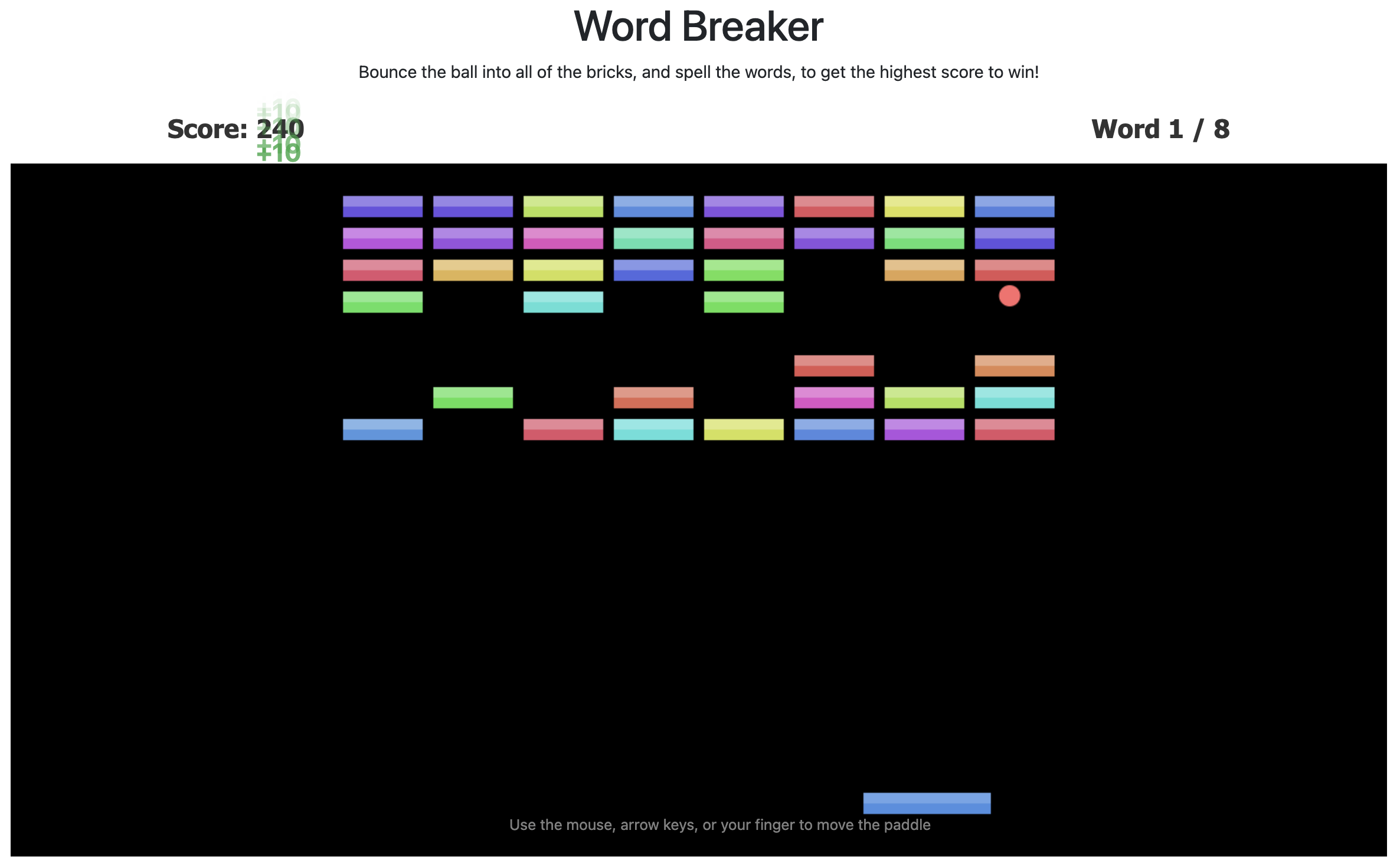
A classic arcade game with a spelling twist. Bounce the ball to hit the paddle and break bricks. Every 3 hits, you’ll need to spell a word to continue. Earn points for each word you spell correctly and each brick you break.
Word Breaker is designed for students who love action games. The arcade mechanics keep their hands busy and their attention locked in, while the spelling check every few hits ensures they’re actually learning. It’s a favorite for students who struggle to sit still during traditional practice.
Play Word Breaker
Spell & Sink
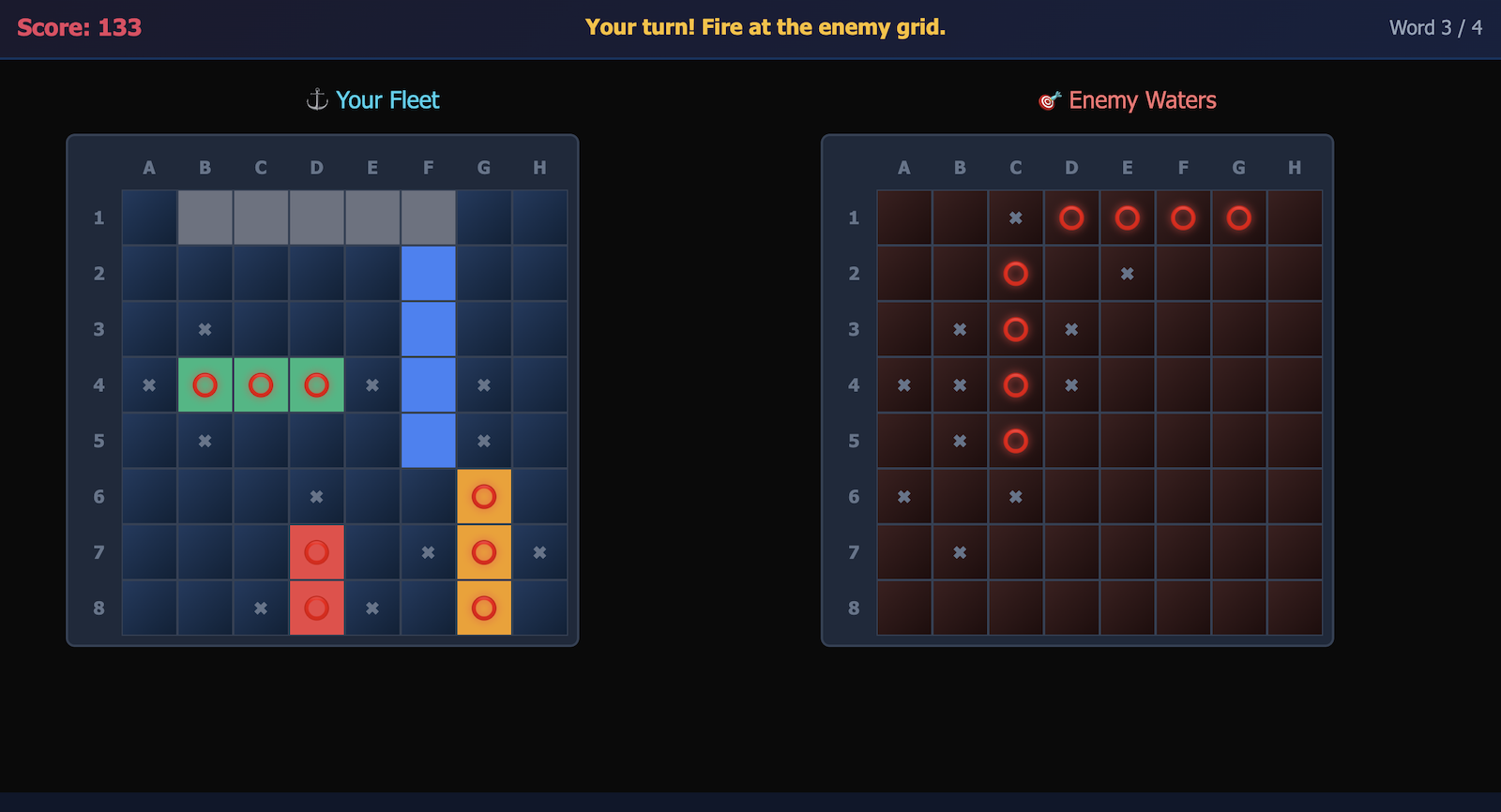
Spell & Sink is an exciting Battleship-style game where players become Word Admirals. Place your ships strategically on the grid, then take turns firing at the enemy fleet. Every 3 shots, you’ll need to correctly spell a word to reload your cannons.
This game combines strategic thinking with spelling practice. Students plan their ship placement, predict enemy positions, and practice spelling under real game pressure. It’s a strong choice for older students (grades 5-8) who want a game that feels like a real game, not just a spelling drill with decoration.
Play Spell & Sink
Word Scramble Race
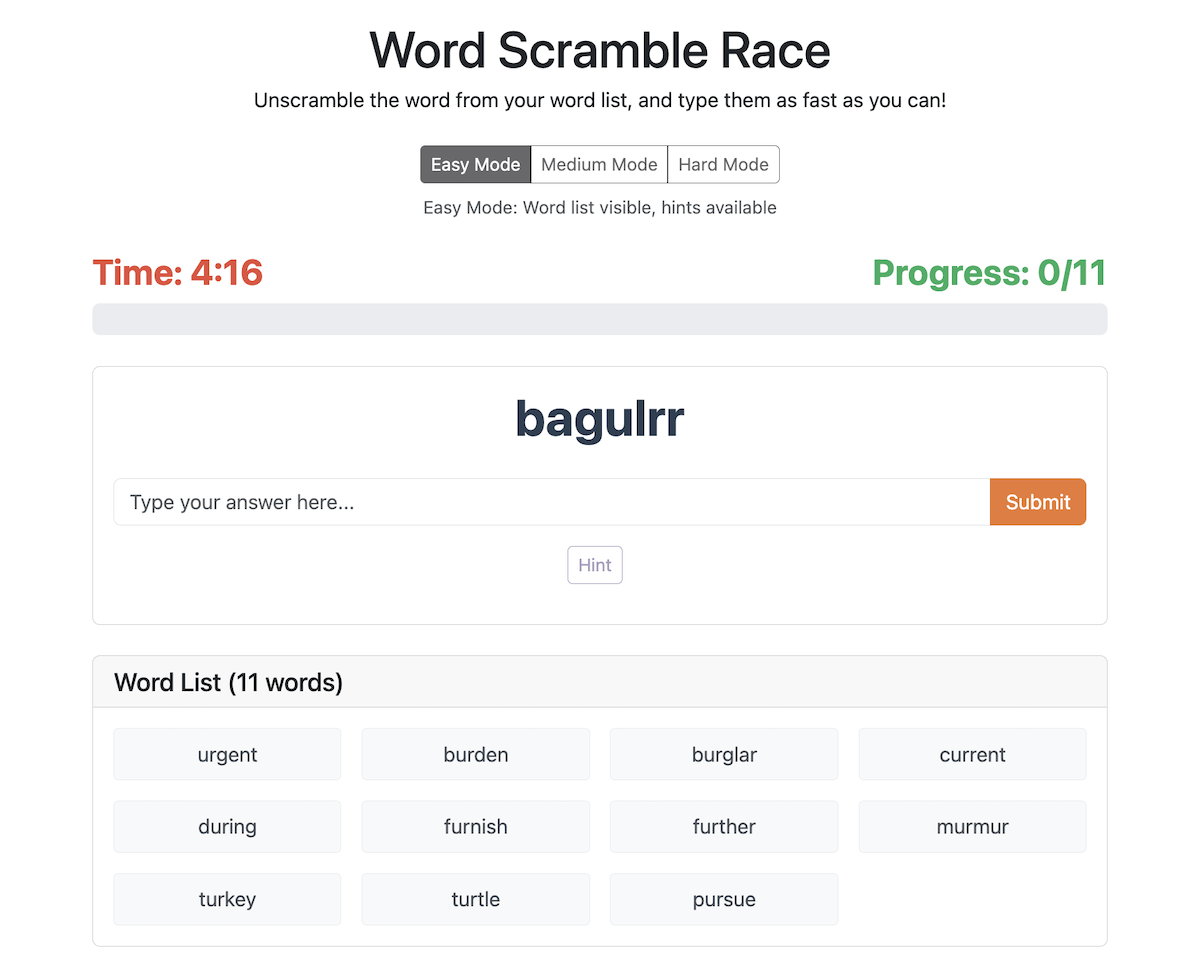
Word Scramble Race challenges students to unscramble words from their word list as fast as they can. The letters of each word are shuffled and students drag or type them into the correct order, racing against the clock.
This game reinforces letter patterns and word structure in a way that straight spelling doesn’t. When students rearrange scrambled letters, they have to think about what looks right and what doesn’t — building the kind of orthographic awareness that helps with both spelling and reading. It’s a great complement to the other games, which focus more on recall from audio.
Play Word Scramble Race
Crossword Bee
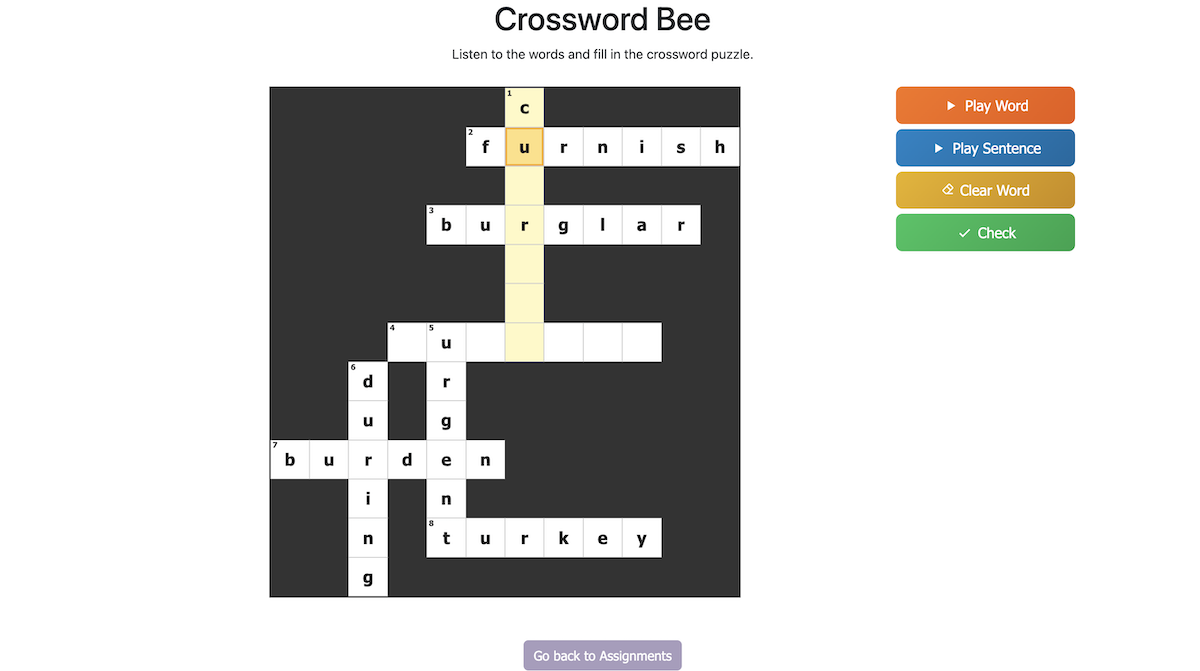
Crossword Bee weaves up to 20 words from your word list into a unique crossword puzzle. Students tap a cell to select a word, press “Play Word” or “Play Sentence” to hear their clue, then type the letters into the grid. When the grid is full, they hit “Check”. Every word has to be spelled correctly to finish.
The crossword format reinforces letter-by-letter accuracy because every letter matters twice: once for the word being spelled and again for the word crossing it. A wrong letter creates a conflict at the intersection, which gives students a built-in reason to go back and check their work. Pairing the puzzle with audio clues also makes it a listening exercise, not just vocabulary matching. It’s a strong fit for older students and adults. Read more in our introduction to Crossword Bee.
Play Crossword Bee
The Benefits and the History of Spelling Games
Learn more about the research behind spelling games, the benefits of game-based learning, and the history of spelling games from spelling bees to digital apps in our introduction to spelling games.
Frequently Asked Questions
How can I assign games to my students?
Games are part of Practice, so how you assign them depends on which assignment mode you use:
- Simple Assignment Mode (the default) — every student automatically gets every word list you create for both practice and test, so games are available as soon as you make a list. Nothing else to set up.
- Advanced Assignment Mode — create an assignment, pick the word list or folder and the student or group, then choose Practice (Teach Me, Games, and Practice Mode test) from the dropdown. Set the Available From and Available Until dates to control the window when students can play.
- Adaptive Learning Programs — choose the Practice + Test experience when you set up the program, and each student’s daily session includes Teach Me and Games alongside their personalized test.
Then send students your Classroom Link and their individual Student Code. Full walkthrough: Assigning Tests and sending them to Students.
What do students need in order to play?
Two things: your Classroom Link and their Student Code. Students don’t need their own accounts, email addresses, or passwords. When they open the link, they enter their student code once and the browser remembers it. You can find and export student codes on the Students page.
Can I assign games to only some of my students?
Yes, using Advanced Assignment Mode. Assignments can target an individual student, a group, or all students, so you can give different word lists to different reading levels and let each group practice with games on their own words.
Can students play games without being able to take the graded test?
Yes. In Advanced Assignment Mode, Practice and Test are separate assignments. Create a Practice assignment for the days you want students playing games and practicing, and a separate Test assignment for the day of the graded test. A common pattern is practice and games Tuesday through Thursday with the main test on Friday.
Which game should I start with?
Garden Spelling is the gentlest starting point and works well for younger or anxious spellers. Monkey Tug Of War is a good fit for short classroom warm-ups. For grades 5-8, Spell & Sink and Word Breaker hold attention longer, and Word Scramble Race is the best choice for building letter-pattern awareness. Crossword Bee suits students who like to work carefully at their own pace rather than race a clock, and Spelling Blast is a great pick for students who love fast, satisfying block puzzle games.
Are Spelling Test Buddy’s games free to play?
You can try all of our spelling games for free to see how they work. During the free trial, teachers can create word lists, assign games, and have students play using a class code. After the trial, assigning your custom word lists to games requires a paid Standard subscription.
What grades are the spelling games designed for?
The games work well for students in grades 3 through 8. Because every game uses the teacher’s own custom word lists, the difficulty matches the level of the words assigned. Younger students tend to gravitate toward Garden Spelling and Tug of War, while older students prefer Word Breaker, Spell & Sink, and Word Scramble Race.
Can I assign specific word lists to the games?
Yes. All games pull from the word lists you create and assign in Spelling Test Buddy. Students practice the exact words they need to learn, not generic vocabulary. You can update lists at any time and the games will reflect the changes immediately.
Do the spelling games work on tablets and Chromebooks?
Yes. All games run in the web browser and work on tablets, Chromebooks, laptops, and desktop computers. There is nothing to download or install. Students just need their class code, a browser, and an internet connection.
How do spelling games help students learn?
Spelling games combine active recall, immediate feedback, and repetition in a format that holds students’ attention. Instead of passively reviewing a word list, students hear the word, think about each letter, and get instant confirmation of whether they’re right. The game format reduces anxiety and increases the number of practice repetitions students are willing to do. Learn more about the benefits and history of spelling games.
Help Shape the Future of Spelling Games
We want to make these games as helpful as possible for teachers and students. Try our games today and let us know what you think!
If you have feedback on any of our games, or ideas on what games to build, email us at support@spellingtestbuddy.com.