Maybe you’re heading out on leave and a long-term sub is taking over. Maybe you share your room with an aide, or an interventionist pulls a group of your students a few times a week. Until now, the only way to let a colleague into your Spelling Test Buddy classroom was to hand over your login.
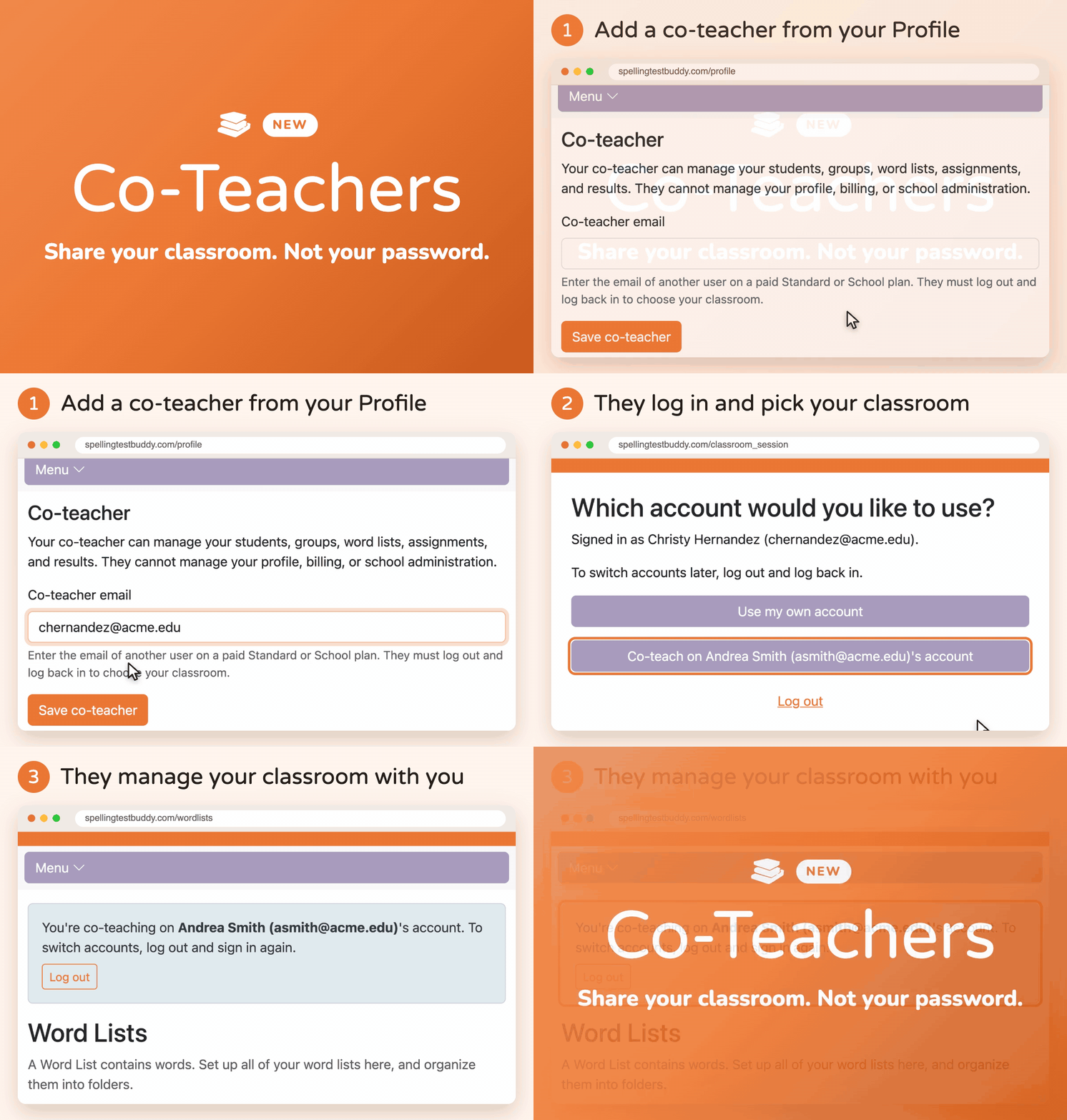
Today we’re launching Co-Teachers. You pick one colleague, and they can help run your classroom from their own account. No shared passwords, and nothing of yours they shouldn’t see.
How it works
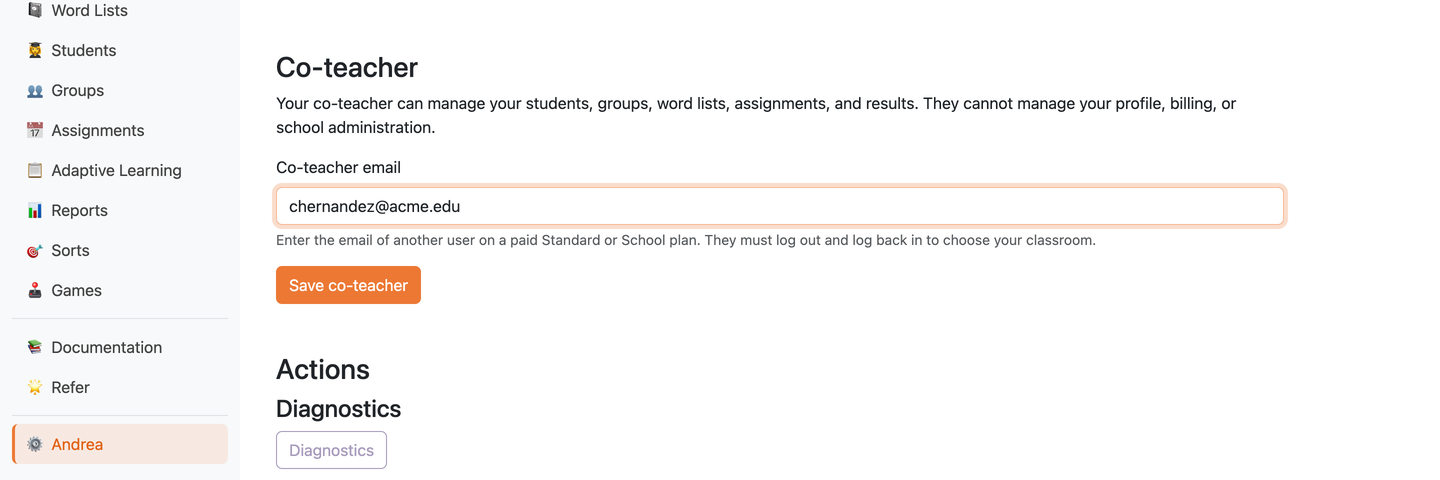
1. Add your co-teacher from your Profile
Open your Profile and scroll to the Co-teacher section. Enter your colleague’s email address and click Save co-teacher.
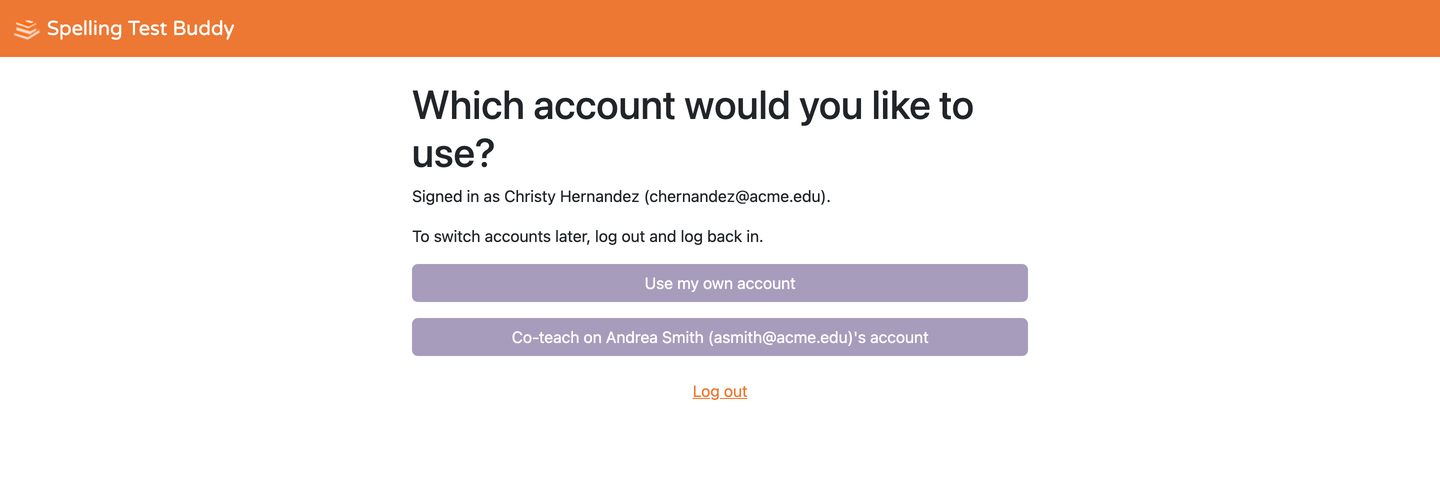
2. Your co-teacher logs in and picks your classroom
Your co-teacher logs out and logs back in with their own account. They’ll now see a choice:
- Use my own account, to work with their own students and word lists as usual
- Co-teach on [your name]’s account, to step into your classroom
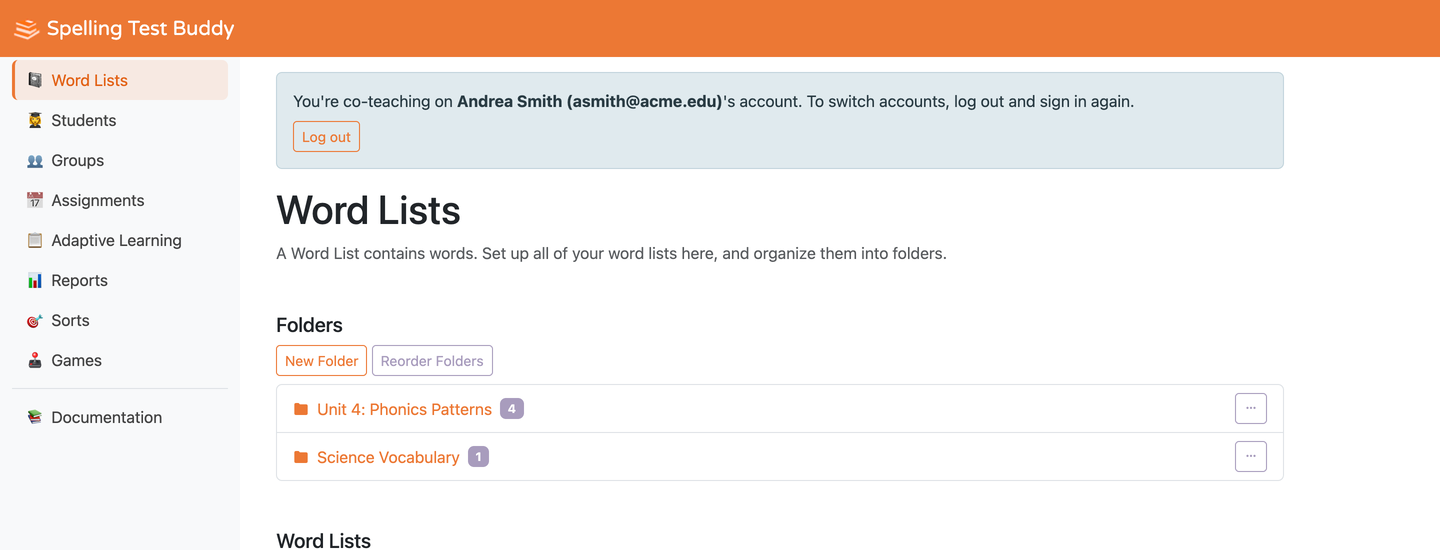
3. You manage the classroom together
While they’re working in your classroom, a banner at the top of every page shows whose account they’re in. To switch back to their own account, they log out and log in again.
What your co-teacher can do
Your co-teacher works with the same classroom you do. They can:
- Add and manage your students and groups
- Create and edit your word lists and folders
- Set up and change assignments, including Adaptive Learning programs, sorts, and games
- View your students’ results and reports
Anything they create or change lives in your classroom, so it’s all still there after they’re gone.
What stays yours
Your co-teacher cannot see or change:
- Your profile (name, email, and settings)
- Your billing and plan
- Your school administration
- Sharing your word lists and folders with other teachers
When the arrangement ends, go back to your Profile and click Remove co-teacher. Their access to your classroom ends right away.
Who it’s for
- Long-term substitutes covering a leave, who need to keep assignments and tests running without your password
- Classroom aides and paraprofessionals who help manage student codes, groups, and practice
- Interventionists and specialists who pull small groups and want to see how those students are doing
- Student teachers learning the ropes in your classroom
Co-teaching vs. sharing word lists
Spelling Test Buddy already lets you share word lists and folders with other teachers. The two features solve different problems:
- Sharing is for teachers who run their own classrooms but want to use the same lists. Each teacher keeps their own students and assignments.
- Co-Teachers is for someone helping run your classroom: your students, your assignments, and your results.
Many teams will use both.
Frequently asked questions
Which plans include Co-Teachers? Co-Teachers is available on the Standard and School plans. Your co-teacher also needs their own Standard or School account. See pricing for details.
How many co-teachers can I add? You can have one co-teacher at a time. To change who it is, enter a different email on your Profile and save.
Can someone co-teach for more than one teacher? Yes. If several teachers add the same colleague, that colleague will see each classroom as an option when they log in.
Does my co-teacher lose access to their own classroom? No. They choose which account to use each time they log in, and can always pick Use my own account.
Do my students need to do anything differently? No. Your Classroom Link and Student Codes stay exactly the same.
What happens if my plan ends? Co-teaching requires both accounts to be on a paid Standard or School plan. If either account leaves a paid plan, co-teaching access pauses.
Get started
Co-Teachers is available now. Open your Profile, add your colleague’s email, and they’ll see your classroom the next time they log in. For step-by-step details and troubleshooting, see How do I add a co-teacher? in the docs.
Ready to get started?
Try Spelling Test Buddy today, for free!
Start Creating Tests, Practice, and Games