Spelling Practice, Games, and Tests.For grades 3-8.








"Prior to subscribing to Spelling Test Buddy, my students' spelling average on tests was 66%, and after implementing daily practice, it has jumped to 83%, which is impressive considering 5 of 10 students are receiving Tier 3 intervention for reading."
"I love that I can give differentiated spelling tests that read the words out loud. All of my students have their own lists of words."
"It is a great help for our program and saves me a lot of time."
"I love the program that you have created as it takes a lot of work out of marking spelling tests and gives students instant feedback on their work which is essential for learning."
"This is an amazing resource and is really helpful with my small group."
"I am thoroughly enjoying the Spelling Test Buddy and have shared it with several of my peers."
 page.
page.Research shows that being a fluent, successful speller is a critical aspect of student success in the Science of Reading approach.
And this research provides a framework for how spelling should be taught within the classroom:


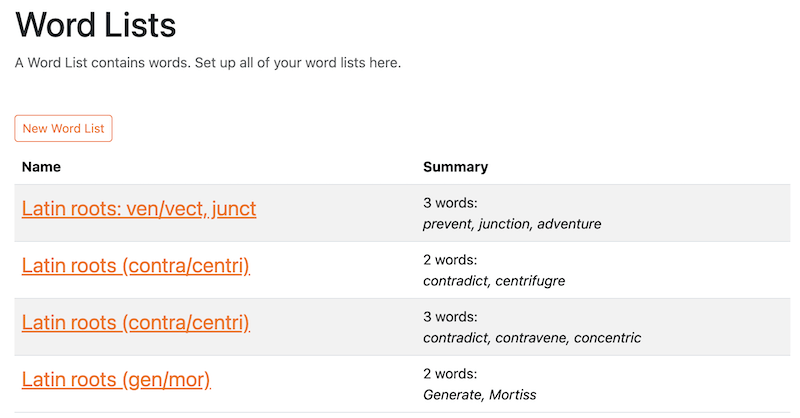
Create your Word Lists in seconds. Whether it’s a few or a few hundred lists, creating them is fast and easy. You can also start with our hundreds of pre-made Word Lists, sorted for you by category, grade level, or source (such as Fry or Dolch), and customize them to fit your needs.
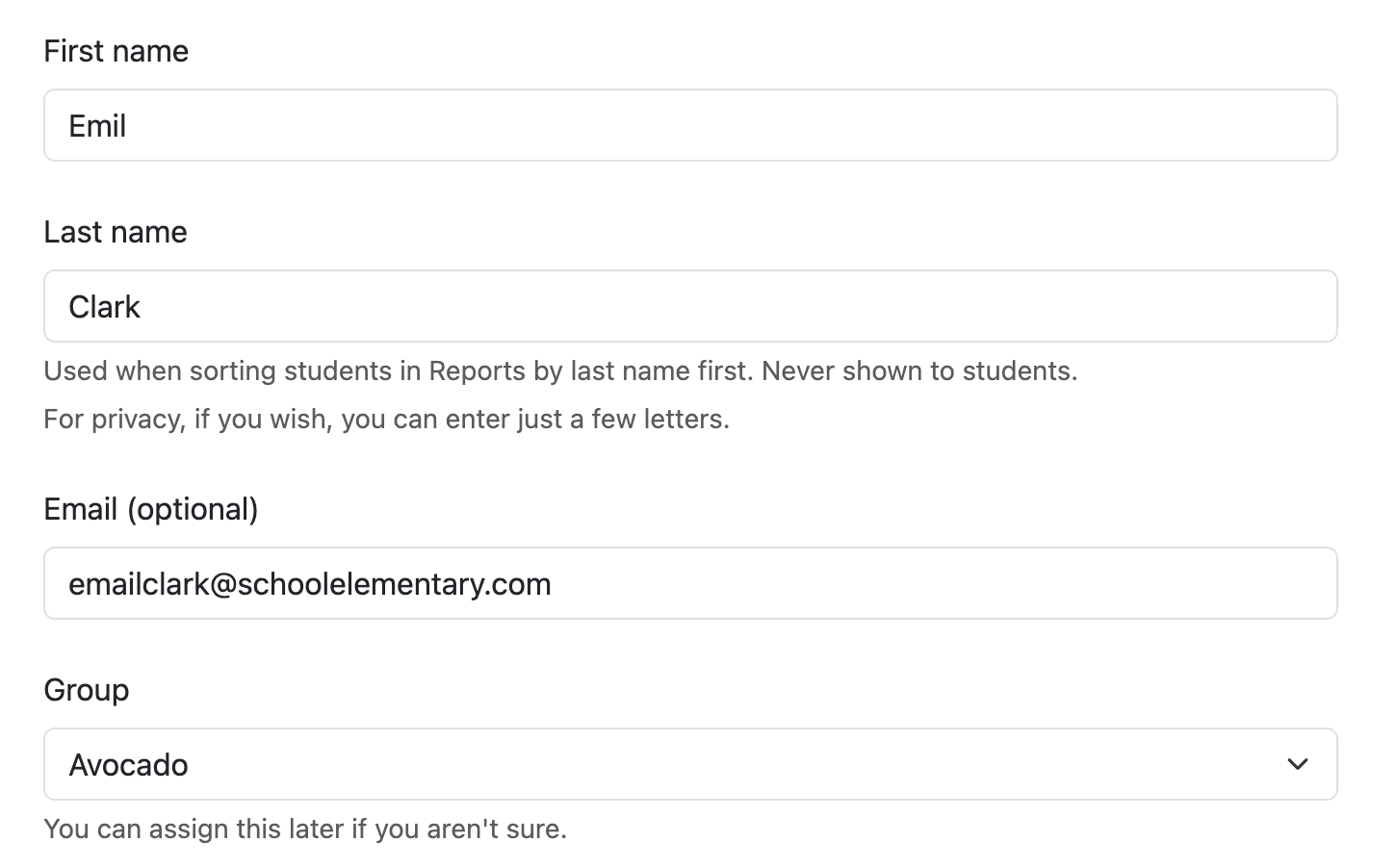
Create your Students. Rapidly create them one at a time, or upload in bulk from a CSV from Google Classroom or other sources.
Send the Classroom Link and each student’s Student Code to your students.
They have instant access to practice, spelling games, Teach Me, and the final test for every Word List you’ve created.
They can practice in the classroom or at home.

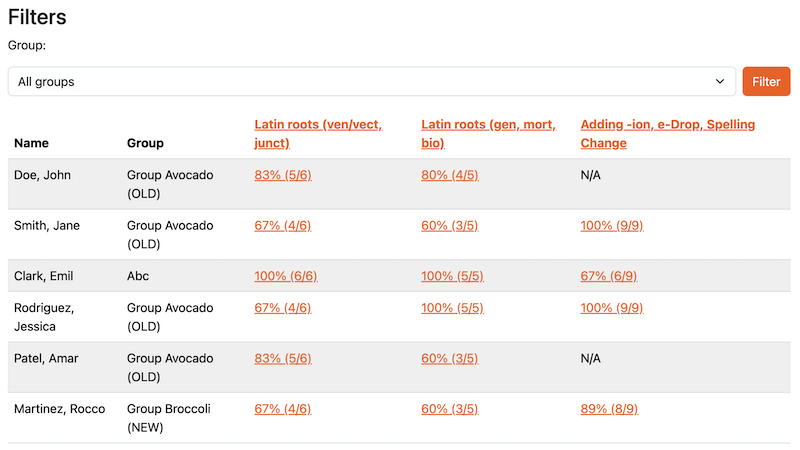
View personalized progress reports across all of the students, with the ability to drill down to identify areas of opportunity.
Get a summary of the most commonly missed words.
Print a full report from test day to send home with students for parents to see, or a report of each of your students’ results for Parent Teacher conferences.
Track progress against Adaptive Learning Programs to see how your students are progressing against mastering their words.
You saved time, and your students performed better because of the practice they received with Spelling Test Buddy. They become better spellers, writers, and their reading has improved.
See our complete guide to saving time teaching spelling, from weekly preparation and independent testing through automatic grading, reporting, and make-up work.

Assign students into groups based on their progression, classroom, or other criteria. Assigning hundreds of students is easy. This step is completely optional.
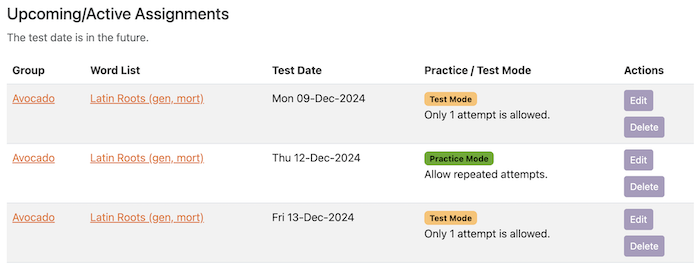
Switch to Advanced Assignment Mode, and you can create custom assignments with specific dates and student/group targeting.
For example, you can create Assignments that have a Practice test on Monday and a Test on Friday for a given Word List and a specific group of students, for every week of the school year.
It’s incredibly powerful.

Spelling Test Buddy’s Adaptive Learning Programs uses spaced repetition (similar to Anki and DuoLingo) to identify the optimal words each student needs to work on each session to reach mastery. Each student practices, plays games, and takes a test for their personalized word list each session.
Perfect for deep personalization, sight/heart words, intervention and RTI programs, ESL/ELL, homeschool families, preparation for the Spelling Bee and other spelling competitions, and much more.
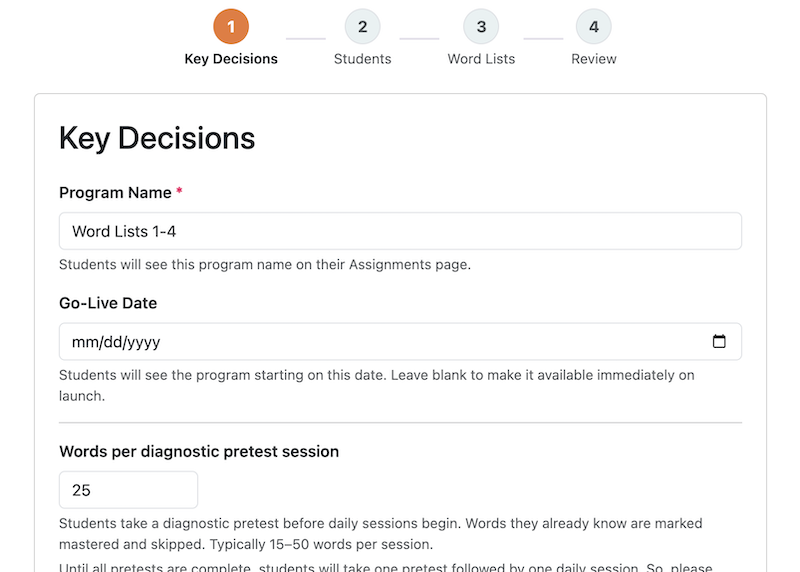
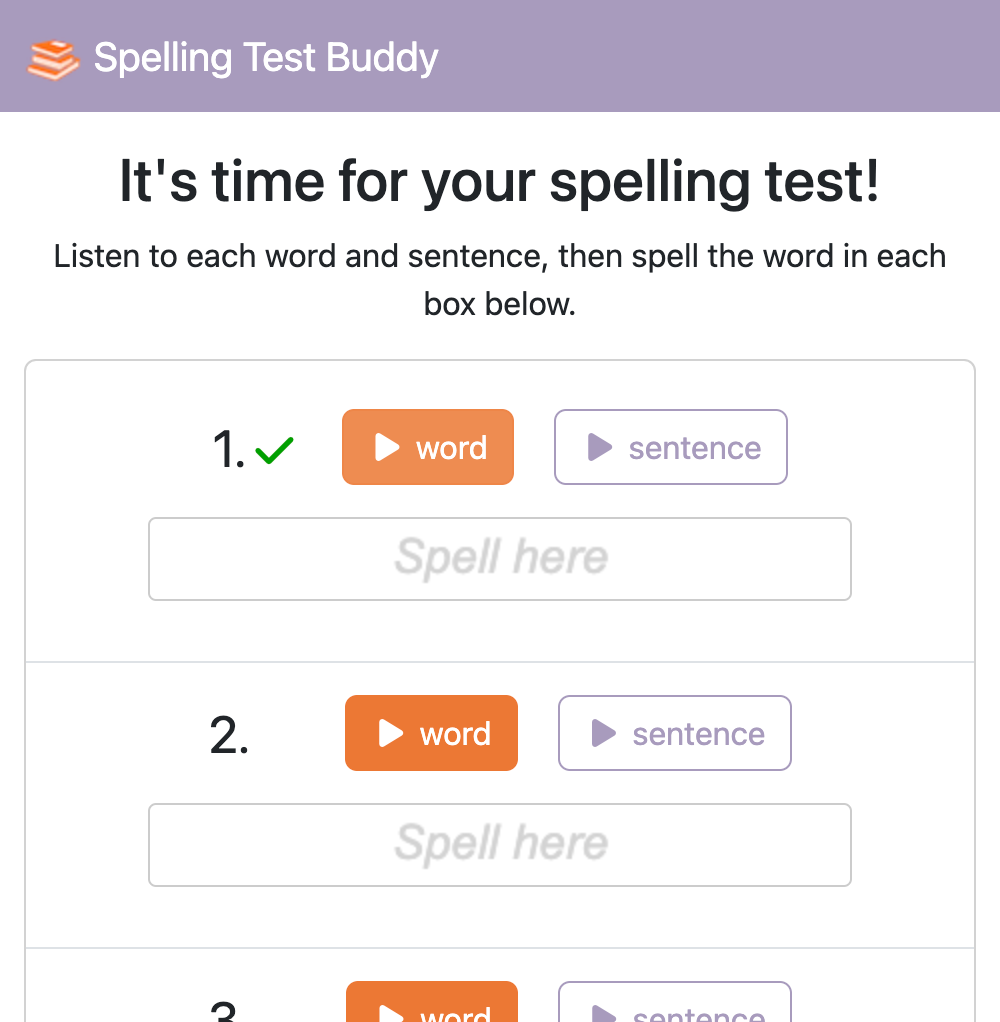
Here is a sample online spelling test. Results are graded immediately, and you can review reports of each student’s progress. While this test speaker is in a US English accent, we support British English, Australian English, and Indian English accents as well.
Spelling Test Buddy has two plans to choose from.
When you sign up, you get a 14-day free trial of the Standard Plan. If 14 days is not enough time, please contact us and we can extend your trial.
Standard | School | ||
|---|---|---|---|
| Price | $49.99/year Includes a 14-day free trial | $499/year | |
| Core Features | |||
| Teacher logins | 1 | 30 | |
| Word Lists | Unlimited | Unlimited | |
| Number of Students | Up to 150 | Unlimited | |
| Weekly Test Submissions | Unlimited | Unlimited | |
| Digital Tests that read the word and sentences aloud | ✔️ | ✔️ | |
| Instant graded results to Students | ✔️ | ✔️ | |
| Word Lists | |||
| Keep Lists Between School Years | ✔️ | ✔️ | |
| List Creation | • PDF/Word/Excel/photo upload • Our 850+ pre-made lists • Manual entry | • PDF/Word/Excel/photo upload • Our 850+ pre-made lists • Manual entry | |
| Share and collaborate on Word Lists and Folders with your teaching team | ✔️ | ✔️ | |
| Bulk import students | ✔️ | ✔️ | |
| Spaced Repetition Learning | |||
| Adaptive Learning Programs | ✔️ | ✔️ | |
| Reporting | |||
| Test Results Retention History | Unlimited | Unlimited | |
| Delete a student's test result | ✔️ | ✔️ | |
| Create/print PDFs and CSVs of test results | ✔️ | ✔️ | |
| Additional Tools | |||
| Teach Me | ✔️ | ✔️ | |
| Games | ✔️ | ✔️ | |
| Digital Sorts tool | ✔️ | ✔️ | |
| Integration | |||
| Create worksheets from Word Lists with Worksheet Creator | ✔️ | ✔️ | |
| Google Classroom Sync | (Coming soon) | (Coming soon) | |
| Single Sign-On (SSO) | (Coming soon) | ||
| Start now! | Learn more | ||
Refund policy: because of the Free Trial that we offer, should you choose to purchase the Standard Plan, we do not offer refunds.
When you subscribe to Spelling Test Buddy, you get access to these included tools and games.
Our Digital Sorts tool makes it easy for students to interact with spelling and phonics patterns. Instead of paper-based cut-and-sort activities, students can now drag and drop words into categories directly on their device.
It's a hands-on learning experience without the mess!
Try Digital Sorts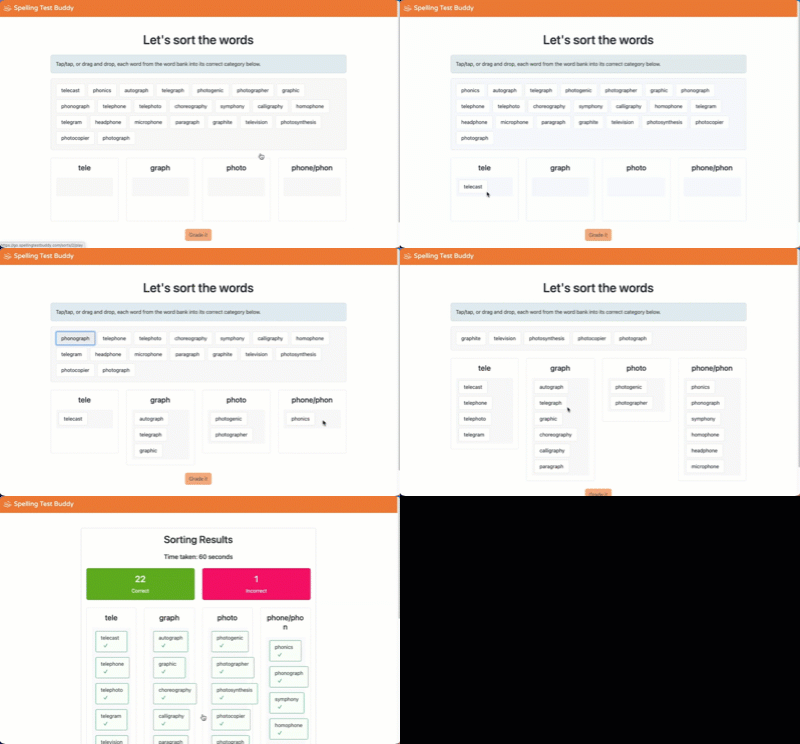
🔈 Teach Me is a feature that allows students to hear and see the correct spelling of each word in their word list. They pair this with hearing the word used in a sentence. It is available as a Practice option for each word list. Students can use Teach Me as many times as needed.
Adaptive Learning Programs give every student a personalized practice queue that updates automatically, every session, based on what that student actually needs. Powered by spaced repetition, a learning strategy with over 130 years of research behind it, words are reviewed at gradually increasing intervals, timed for roughly the moment a student is about to forget.
You pick the scope and sequence. The platform handles the day-to-day decisions so you can focus on teaching, not bookkeeping.
Learn about Adaptive Learning ProgramsSpelling practice doesn't have to feel like a chore. All six games below are built around the word lists you assign, so students reinforce exactly the vocabulary they need to master. Each game uses a different format to keep things fresh.
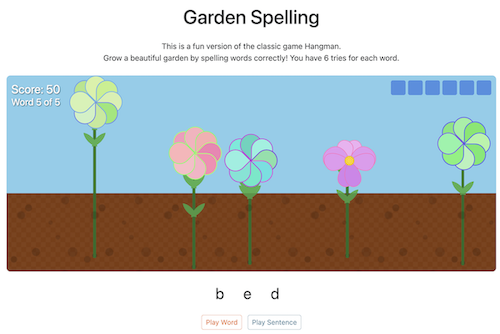
A creative twist on Hangman where correct answers grow a beautiful garden. Perfect for visual learners who prefer a lower-pressure environment.
Try Garden Spelling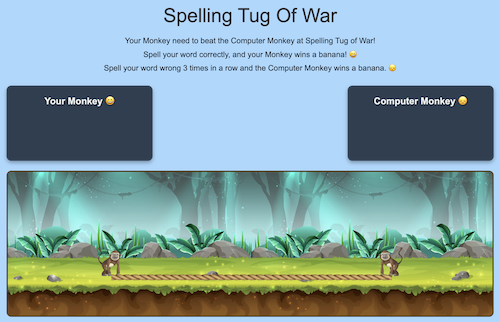
Your monkey battles the computer in a tug of war. Spell correctly to earn bananas; three wrong letters in a row and the computer scores. Great for classroom transitions and warm-ups.
Try Monkey Tug of War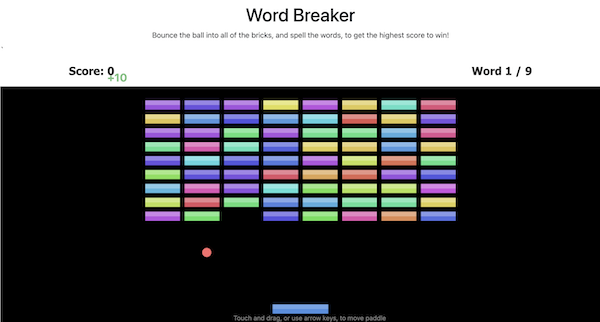
A classic arcade breakout game with a spelling twist. Every 3 hits, students must spell a word to keep playing. A favorite for students who struggle to sit still during traditional practice.
Try Word Breaker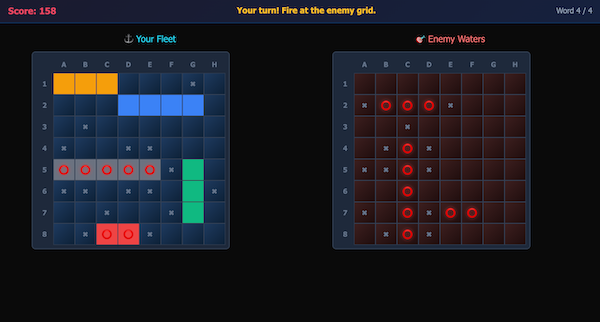
A Battleship-style game where players become Word Admirals. Place ships, fire at the enemy fleet, and spell a word every 3 shots to reload. Strong choice for grades 5–8.
Try Spell & Sink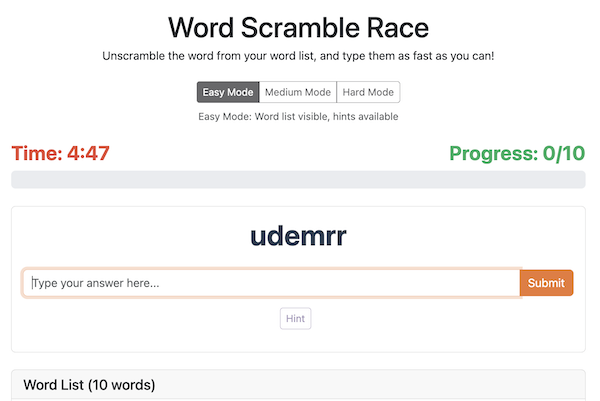
Students race against the clock to unscramble words from their list. Builds the orthographic awareness that helps with both spelling and reading.
Try Word Scramble Race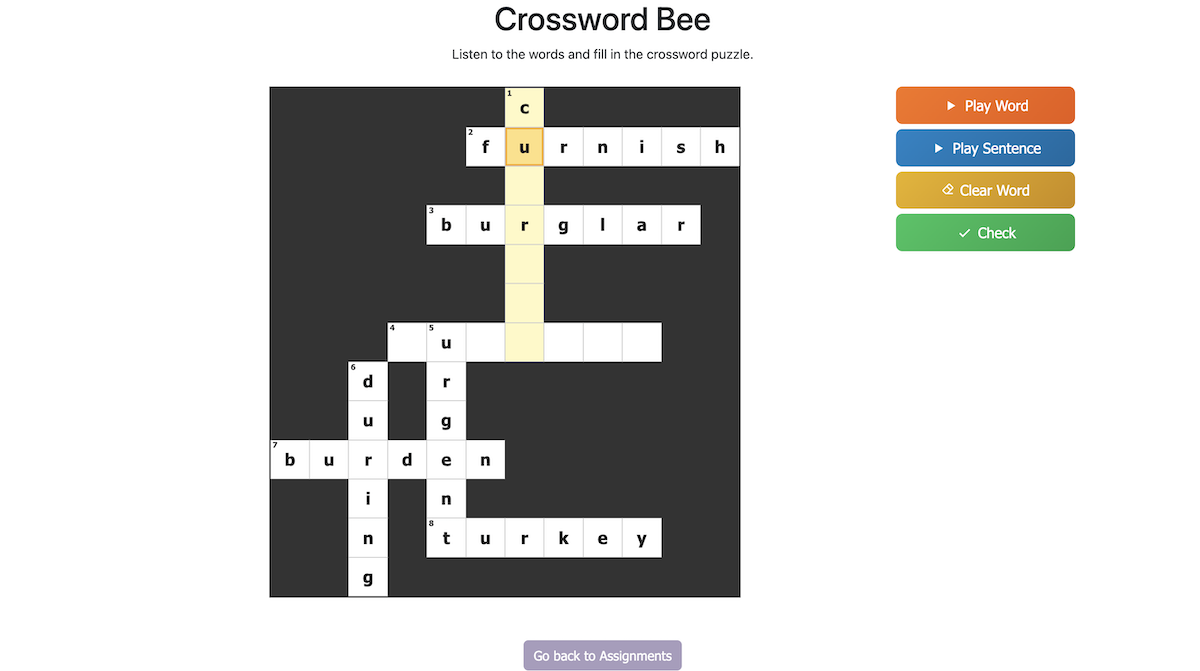
Generates a unique crossword puzzle from your word list (up to 20 words). Students listen to audio clues and type letters into the grid — every word must be spelled correctly to finish.
Try Crossword BeeWe are building more games and tools for Spelling Test Buddy. Our plans for these are:
Stay tuned for what's next!

When you first sign up, you get a 14-day free trial of the Standard Plan. If you decide that you like the solution, you can purchase the Standard Plan for $49.99/year. If 14 days is not enough time, please contact us and we can extend your trial.
You can distribute tests to your students by sending the entire class the Classrom Link, and each student their Student Code. The browser remembers the code, so if you use individual devices, you should only need to distribute the code once. You can send the link to your students through Google Classroom, Seesaw, Blackboard, PowerSchool, and any other platform.
Yes! When you create a word list, Spelling Test Buddy generates an audio version of each word. It also generates a version of the word in a sentence, to provide context for the word. When your student takes the test, they can tap on the Play buttons to hear the word or the sentence being read aloud to them, then enter their answer.
Please see our pricing information above. When you first sign up, you get a 14-day free trial of the Standard Plan. If you decide that you like the solution, you can purchase the Standard Plan for $49.99/year. If 14 days is not enough time, please contact us and we can extend your trial.
Yes! You can create a Word List for each week of the school year, and then assign them to your students with a due date. When your student opens their link, they will be given the next test. You can even set up advanced schedules such as “pre-test on Monday, practice Tuesday-Thursday, and final test on Friday”.
Yes! We support PO/Invoice purchases (minimum $100) for Standard and School/District plan purchases. You can learn more about Spelling Test Buddy for Schools and Districts, including how to purchase it, the onboarding process, and much more.
Yes. There are hundreds of single or small groups of teachers at various schools across the world using Spelling Test Buddy. They purchase Spelling Test Buddy in one of three ways:
While Spelling Test Buddy can be used for any grade level, teachers in grades 3-8 have had the best success using it for their classrooms. We also have intervention, English as Foreign Language, and adult learners use it daily.
Yes! When your student submits their test, your Reports page will immediately show you their results for that test. No need to ask them to walk their device up to your desk or call you over so you can check their results.
Yes! Your students can print the result after taking the test in a well-formatted page. Additionally, you can generate a PDF or CSV of all results for students that took a test on a specific date from the Reports page.
No. You, as a teacher, can log in with a Google account or an email link. Your students do not need any account at all to take tests. Learn how to send tests to your students.
Yes. Spelling Test Buddy does not require you to enter an email address or even a full first or last name for your students. So, you can stay compliant with country, state, local, and district privacy laws and rules. We are fully compliant with FERPA, COPPA, PPRA, ISSRA, SOPPA, IPA, and PIPA, and we are verified vendors in the Student Data Privacy Consortium in the 15 States that they cover. You can review and print our Student Privacy Protection Policy.
Yes! Please see our ESA page for more information.
Yes! We several spelling games, and more are in development. Learn more about our spelling games and try them out.
Yes! You can change the accent of the words to match your country when you create your word list. We currently support the United States, United Kingdom, Australia, and India.
We use Stripe for all payments. Stripe is one of the largest payment merchants in the world, and powers payments for Google, Marriott, Amazon, AirBnB, and many others. Stripe hosts your payment and renewal information. Your information is transmitted with bank-level encryption directly to Stripe, and we never see your method of payment.
Yes! We’ve had schools use Spelling Test Buddy to run competitions. Please reach out to us to discuss size and special pricing.
A collection of resources for you to use to teach and learn spelling.

Spaced repetition is one of the most well-supported strategies in learning science. Here is what teachers, parents, and researchers need to know about how it works, where it has been proven effective, and how to use Spelling Test Buddy to bring it into your spelling curriculum.
Read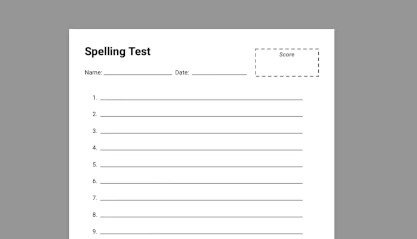
A collection of dozens of free spelling, phonics, and decodable resources for you to assist your students' learning journey.
Visit
Understand the link between spelling tests and the Science of Reading. Learn how systematic spelling instruction boosts reading skills, contrasts with Balanced Literacy, and why tools like Spelling Test Buddy are helpful in education.
Read